Despite the persistent rumors that “PC DIY is dead,” people are still building custom rigs in droves. There is nothing quite like the satisfaction of turning a pile of expensive components into a high-performance machine. However, both beginners and self-proclaimed veterans often fall victim to common pc building mistakes that can lead to costly hardware damage or agonizing troubleshooting sessions.
I’ve compiled the 8 most critical traps that can ruin your build. Have you fallen for any of these?
1. The Power Supply: Don’t Skimp on the Heart of Your Build
Many builders focus solely on the wattage rating, assuming a cheap 700W unit is the same as a premium one.
- Avoid the “Time Bomb”: Budget PSUs often fail to deliver their rated wattage and can cause system restarts during transient power spikes.
- Room to Breathe: Always leave a 20% to 30% overhead on your power budget. If your components need 700W, buy a 1000W unit for stability.
- Look for 80 Plus Gold: While 80 Plus is an efficiency rating rather than a direct quality gauge, it’s a standard baseline for reliable internal components.
2. Modular Cables: The Deadly “Mix and Match”
This is one of the quickest ways to kill your hardware: losing the modular cables and using a random cable from a different power supply.
- The Pinout Trap: While the connectors might look identical and fit, the internal pinouts vary drastically between brands and even models.
- Painful Lesson: Swapping 12V and ground lines can instantly fry your SSD or GPU. Never mix modular cables between different power supply units!
3. The CPU Cooler: That “Lethal” Plastic Film
It sounds like a joke, but even veteran builders have made this rookie mistake.
- Insulation vs. Heat Transfer: There is almost always a protective film on the bottom of a cooler base. If you forget to peel it off before applying thermal paste, it acts as a perfect insulator, trapping heat against your CPU.
- Symptoms: Your idle temperatures will look fine, but under load, they will skyrocket past 100°C, causing an immediate thermal shutdown.
4. Mounting Brackets: Proper Pressure is Key
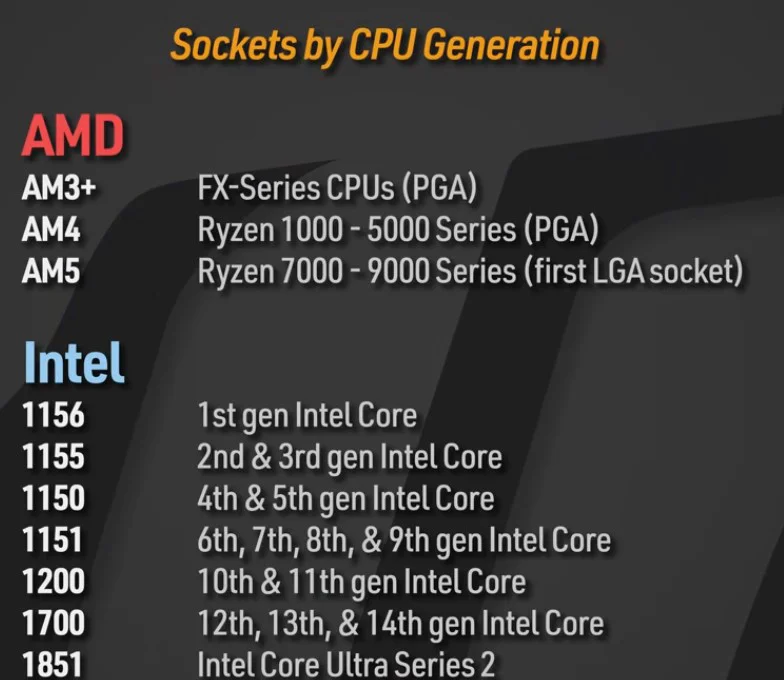
With modern sockets like LGA 1700 or AM5, coolers often come with a confusing bag of parts.
- Height Crisis: Using the wrong brackets or standoffs can prevent the cooler from making proper contact with the CPU, leading to terrible thermal performance.
- Pro Tip: After unboxing, identify the specific hardware for your socket and store the rest away immediately to avoid confusion.
5. RAM: Don’t Waste 20% of Your Performance
Filling all four slots is fine, but if you only have two sticks, placement matters:
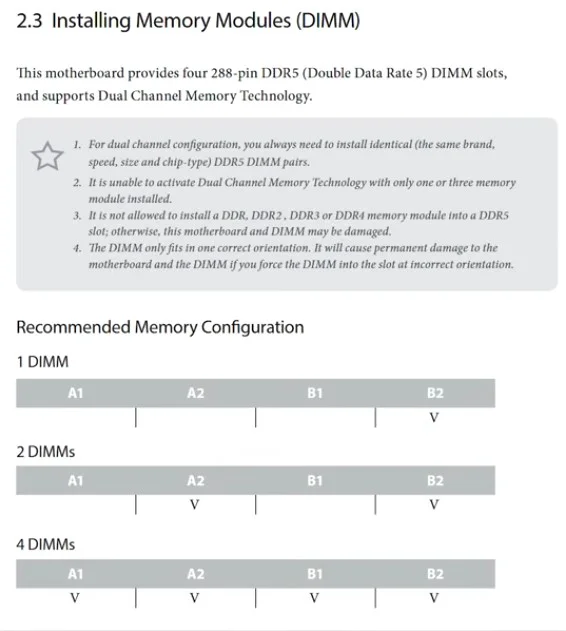
- The Single-Channel Curse: Installing your RAM sticks right next to each other usually limits your system to single-channel mode, sacrificing about 20% of potential performance.
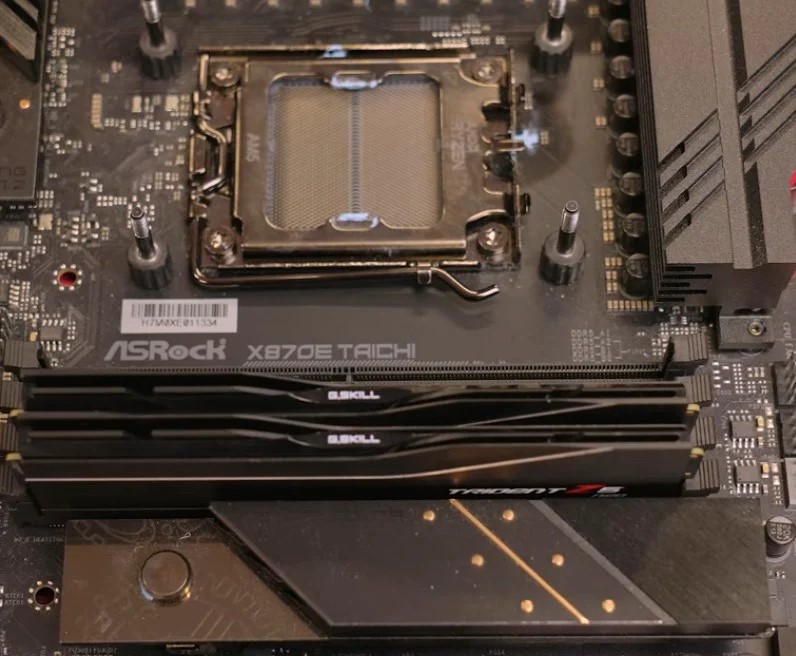
- The Correct Way: Check your motherboard manual—usually, you need to install them in the 2nd and 4th slots to enable dual-channel mode.
- Enable XMP/EXPO: You paid for high-frequency RAM; make sure to enable the profile in your BIOS, otherwise, it will run at sluggish stock speeds.
6. SSD: Keep Your Drives Cool
Today’s Gen 5 SSDs are blazing fast, but they run incredibly hot.
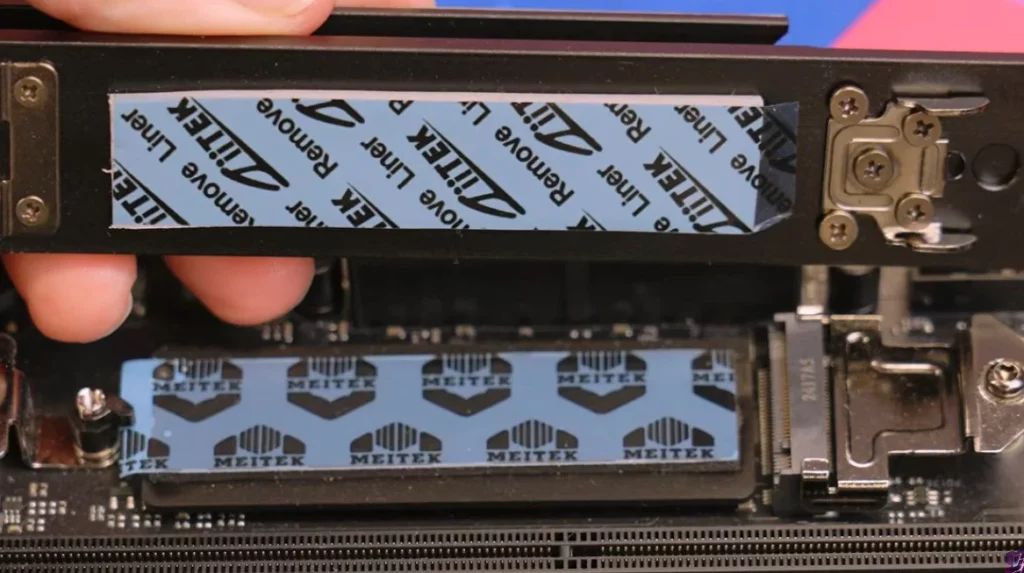
- Layered Heat-Sinks: If your motherboard comes with an M.2 heat-sink, don’t forget to peel the plastic cover off the thermal pad!
- Double-Sided Chips: For high-capacity drives that have chips on both sides, ensure that both sides have adequate thermal contact to prevent throttling.
7. GPU Sag: It’s Not Just Ugly, It’s Dangerous
Graphics cards are getting massive and incredibly heavy.
- Physical Damage: Long-term gravity strain puts immense pressure on your PCIe slot, which can lead to cracked solder joints or a completely broken slot.
- The Fix: Always use the GPU support bracket that came with your card to save your motherboard from unnecessary stress.
8. Quick Tips
1. Flash Your BIOS
If your CPU isn’t recognized, modern boards often have a BIOS Flashback feature that works without a CPU installed. Always update to the latest BIOS before assembly to ensure compatibility.
2. Watch Out for Static
Avoid building on carpets, don’t walk around in socks, and avoid touching the gold pins. While modern components are more resilient, it’s always better to be safe than sorry.
Final Thoughts
The success of your PC build isn’t determined by how much you spend, but by your attention to detail. By avoiding these common errors, you can achieve a perfect build on your first attempt. Head over to VGoods Lab for more expert tech guides and builds!