
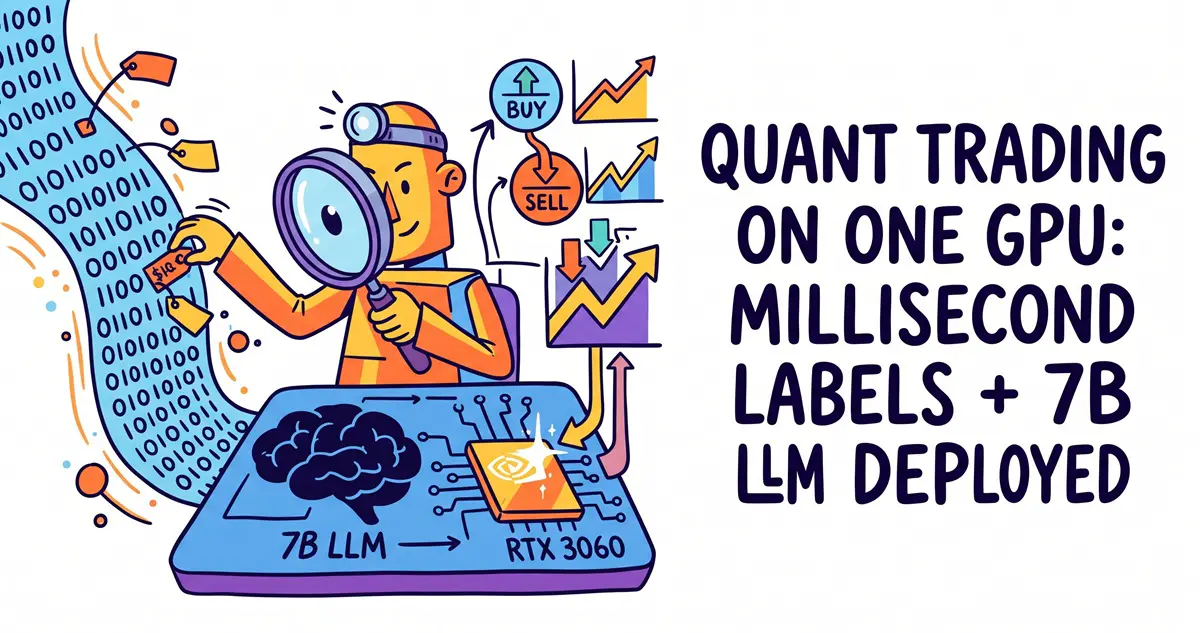
1. Architecture Background: Why Does Quant Trading Need a “Fast-Slow Dual-Model” Synergy?
In the realms of cryptocurrency derivatives high-frequency trading (HFT) and algorithmic execution, pure rule-based strategies and single-model architectures face severe limitations:
- Micro Fast System: Lightweight classification networks or decision trees exported via ONNX. Inference latency must be compressed to the sub-millisecond level ($<1\, ext{ms}$). Its core task is to monitor order book microstructure in real time (e.g., OrderBook Imbalance, toxic order flow VPIN) and instantly pull orders within microseconds during heavy sell-offs by informed traders. However, the fast system lacks context and long-cycle multivariate reasoning capabilities.
- Macro Slow Central Hub: A 7B-parameter large language model (such as Qwen2.5-Coder-7B). It possesses exceptional dynamic hedge ratio calculation, cointegration deviation logic analysis, and multi-factor weighting capabilities. However, its inference latency sits in the hundreds of milliseconds ($200\sim400\, ext{ms}$). Plugging it directly into the tick-by-tick market data loop would cause severe queuing bottlenecks.
To balance microsecond-level anti-sniping responses with nonlinear macro risk control, we adopt a “Fast-Slow Dual-Hub Asynchronous Decoupling Architecture”:
 <code>               [ Exchange Depth Market Data WebSocket (books15 / trades) ]
                                    │  (~20μs JSON parsing + 80μs feature vectorization)
                                    ▼
                    ┌───────────────────────────────┐
                    │  Fast System Laya (ONNX Runtime)│ ◄── VRAM Isolation: Capped at 2.0 GB max
                    │  - Pure GPU compute (CUDA EP) │
                    │  - Decision latency: 0.2~0.4 ms │
                    └───────────────┬───────────────┘
                                    │
               ┌────────────────────┴────────────────────┐
               │                                         │
         [ Verdict: HOLD ]                        [ Verdict: Anomalous Signal ]
               │                          (LEAN_BUY / LEAN_SELL / EMERGENCY)
         [ Maintain Active Order Queue ]                 │
                                                         ▼ (Non-blocking async push)
                                               ┌───────────────────┐
                                               │   asyncio.Queue   │
                                               └─────────┬─────────┘
                                                         │
                                                         ▼
                                        ┌─────────────────────────────────┐
                                        │    Slow Hub Kev (llama-server)  │
                                        │    - Qwen2.5-Coder-7B (Q4_K_M)  │
                                        │    - Native CUDA Backend (sm_86)│
                                        │    - VRAM Consumption: ~4.4 GB  │
                                        │    - Latency: 200~350 ms        │
                                        └────────────────┬────────────────┘
                                                         │
                                                         ▼ (Structured portfolio command)
                                        ┌─────────────────────────────────┐
                                        │  Deterministic Risk Gateway     │
                                        │  - Max Position / Net Delta / Slippage
                                        └────────────────┬────────────────┘
                                                         │
                                                         ▼
                                            [ Exchange API REST / WS Signed Orders ]
</code>2. Hardware Environment and Fine-Grained 12GB VRAM Budget
- Operating System: Ubuntu 24.04 LTS x86_64
- Compute Platform: NVIDIA GeForce RTX 3060 12GB (Ampere Architecture,
sm_86) - Low-Level Drivers: NVIDIA Driver 550+ / CUDA 12.x Runtime
Running both an LLM and low-latency inference simultaneously on a consumer-grade 12GB GPU requires strict VRAM hard isolation to ensure long-term system stability and prevent strategy crashes caused by CUDA Out-Of-Memory (OOM) errors:
| Module Component | Underlying Tech Stack | VRAM Constraint Control Method | Physical VRAM Allocation | Core Responsibilities & Goals |
| Kev (Slow Hub) | llama.cpp Native Build |
Weight pinning + KV cache context locking | ~4.4 GB | Complex logical reasoning, Delta hedging analysis, adaptive strategy fine-tuning |
| Laya (Fast System) | ONNX Runtime GPU | gpu_mem_limit: 2GB allocation cap |
~1.5 ~ 2.0 GB | 128-dim order book feature labeling, detecting informed large orders, and executing pull-backs |
| Safety Buffer | OS / CUDA Context | Kept idle | ~5.6 GB | Absorbs concurrency computation jitters and temporary VRAM allocations, preventing GPU lockups |
3. Slow Hub Kev Deployment: Native llama.cpp Compilation & Service Setup
The slow hub utilizes a GGUF format model with tight logical reasoning and strong instruction-following capabilities (using Qwen2.5-Coder-7B-Instruct-Q4_K_M as an example), compiled natively via llama.cpp into a lightweight HTTP daemon service.
3.1 Optimized Compilation for the RTX 3060 Architecture
Bash
# 1. Install base dependency chain
sudo apt update
sudo apt install -y build-essential cmake git libcurl4-openssl-dev

# 2. Pull source code and compile with CUDA hardware acceleration
cd /data/trading_ai
git clone https://github.com/ggerganov/llama.cpp
cd llama.cpp

# Specify Ampere architecture compute capability 86 and enable all CUDA optimization flags
cmake -B build \\
    -DGGML_CUDA=ON \\
    -DCMAKE_CUDA_ARCHITECTURES="86" \\
    -DGGML_CUDA_FA_ALL=ON
cmake --build build --config Release -j$(nproc)
3.2 Daemon Startup Script
Offload all model layers completely to the GPU (-ngl 99) and strictly control the context size using -c 4096 to cap VRAM usage:
Bash
/data/trading_ai/llama.cpp/build/bin/llama-server \\
    -m /data/trading_ai/models/kev/qwen2.5-coder-7b-instruct-q4_k_m.gguf \\
    --host 127.0.0.1 \\
    --port 8001 \\
    -ngl 99 \\
    -c 4096 \\
    -fa \\
    --log-disable > /data/trading_ai/logs/kev_server.log 2>&1 &
Run nvidia-smi to verify. The service will stably lock at 4442 MiB of VRAM, exposing a standard REST completion interface.
4. Fast System Laya Deployment: Overcoming ONNX Runtime GPU Pitfalls
Configuring CUDAExecutionProvider under Ubuntu 24.04 and Python 3.12 is often the trickiest part of the setup. Below is the complete, closed-loop troubleshooting guide.
4.1 Pitfall 1: Installing the Wrong Package Silently DOWNSHIFTS to CPU
Running pip install onnxruntime installs the pure CPU edition, causing the system to throw the following warning and force CPU inference:
UserWarning: Specified provider 'CUDAExecutionProvider' is not in available provider names.
The Fix: You must install the GPU-enabled distribution. Note that newer versions of onnxruntime-gpu might bind to the CUDA 13 runtime; if running in a CUDA 12 environment, you need to explicitly pin a compatible version:
Bash
# Activate the production virtual environment
source /data/trading_ai/venv/bin/activate

# Completely clean up potentially conflicting packages
pip uninstall -y onnxruntime onnxruntime-gpu

# Install the wheel deeply adapted to CUDA 12
pip install "onnxruntime-gpu<1.20.0" -i https://pypi.tuna.tsinghua.edu.cn/simple
pip install numpy orjson websockets
4.2 Pitfall 2: Dynamic Linker Fails to Locate libcublas Symbols
The nvidia-*-cu12 family of libraries installed via pip reside inside the virtual environment’s site-packages directory. If you invoke Python scripts directly via absolute paths (without running source activate), the system dynamic loader cannot locate the library paths, resulting in missing libcublasLt.so errors.
Persistent Solution: Register the virtual environment’s library path directly into system-level ld.so.conf.d and inject environment variables:
Bash
# 1. Register to system dynamic library cache
sudo bash -c 'cat << EOF > /etc/ld.so.conf.d/trading_ai_cuda.conf
/data/trading_ai/venv/lib/python3.12/site-packages/nvidia/cublas/lib
/data/trading_ai/venv/lib/python3.12/site-packages/nvidia/cudnn/lib
/data/trading_ai/venv/lib/python3.12/site-packages/nvidia/cuda_runtime/lib
EOF'
sudo ldconfig

# 2. Write to global login profile to prevent subprocesses from dropping the environment
cat << 'EOF' >> ~/.bashrc
export LD_LIBRARY_PATH=/data/trading_ai/venv/lib/python3.12/site-packages/nvidia/cublas/lib:/data/trading_ai/venv/lib/python3.12/site-packages/nvidia/cudnn/lib:/data/trading_ai/venv/lib/python3.12/site-packages/nvidia/cuda_runtime/lib:$LD_LIBRARY_PATH
EOF
source ~/.bashrc
Verification Command:
Bash
python -c "import onnxruntime as ort; print('Active Providers:', ort.get_available_providers())"
Seeing 'CUDAExecutionProvider' explicitly appear in the terminal output confirms that the underlying drivers and dynamic libraries are successfully linked.
5. End-to-End Live Stress Testing: Exchange Order Flow to GPU Inference
Using websockets to subscribe to Bitget perpetual futures real-time 15-level order books (books15), deserializing via the C-level parsing library orjson, and directly constructing 128-dimensional feature tensors in memory for Laya GPU inference:
Python
import asyncio
import time
import orjson
import websockets
import numpy as np
import onnxruntime as ort

# Initialize Laya GPU inference session, setting VRAM quota cap to 2GB
provider_options = {
    'device_id': '0',
    'arena_extend_strategy': 'kSameAsRequested',
    'gpu_mem_limit': str(2 * 1024 * 1024 * 1024),
}

laya_session = ort.InferenceSession(
    "/data/trading_ai/models/laya/laya_model.onnx",
    providers=[('CUDAExecutionProvider', provider_options), 'CPUExecutionProvider']
)
laya_in = laya_session.get_inputs()[0].name
laya_out = laya_session.get_outputs()[0].name
print(f"[✓] Laya mounted successfully (Active Provider: {laya_session.get_providers()[0]})")

def parse_depth_to_feature_tensor(data_dict):
    """Extract top 15 levels of order book price/volume features and construct a 128-dim fixed-length tensor"""
    bids, asks = data_dict.get('bids', []), data_dict.get('asks', [])
    features = np.zeros(128, dtype=np.int64)

    idx = 0
    total_bid_vol, total_ask_vol = 0.0, 0.0

    for i in range(min(15, len(bids))):
        p, s = float(bids[i][0]), float(bids[i][1])
        features[idx] = int(p % 1000)
        features[idx + 1] = int(s * 100) % 255
        total_bid_vol += s
        idx += 2

    idx = 30
    for i in range(min(15, len(asks))):
        p, s = float(asks[i][0]), float(asks[i][1])
        features[idx] = int(p % 1000)
        features[idx + 1] = int(s * 100) % 255
        total_ask_vol += s
        idx += 2

    # Order Book Imbalance Calculation
    if total_bid_vol + total_ask_vol > 0:
        imbalance = (total_bid_vol - total_ask_vol) / (total_bid_vol + total_ask_vol)
        features[60] = int((imbalance + 1.0) * 100) % 255

    return features.reshape(1, 128)

async def run_pipeline():
    ws_url = "wss://ws.bitget.com/v2/ws/public"
    sub_payload = orjson.dumps({
        "op": "subscribe",
        "args": [{"instType": "USDT-FUTURES", "channel": "books15", "instId": "BTCUSDT"}]
    }).decode()

    async with websockets.connect(ws_url) as ws:
        await ws.send(sub_payload)
        print("[✓] Successfully subscribed to BTCUSDT perpetual contract real-time depth feed")

        for _ in range(10):
            msg = await ws.recv()
            t0 = time.perf_counter_ns()

            # 1. Fast JSON deserialization
            data = orjson.loads(msg)
            t1 = time.perf_counter_ns()

            if "data" not in data or not data["data"]:
                continue

            # 2. Vector extraction and tensorization
            features = parse_depth_to_feature_tensor(data["data"][0])
            t2 = time.perf_counter_ns()

            # 3. Laya GPU forward labeling
            probs = laya_session.run([laya_out], {laya_in: features})[0][0]
            t3 = time.perf_counter_ns()

            print(f"JSON Parse: {(t1-t0)/1000:4.1f}μs | "
                  f"Feature Ext: {(t2-t1)/1000:4.1f}μs | "
                  f"Laya GPU: {(t3-t2)/1000:5.1f}μs | "
                  f"Total Latency: {(t3-t0)/1000:5.1f}μs | "
                  f"Decision Action: {np.argmax(probs)}")

if __name__ == "__main__":
    asyncio.run(run_pipeline())
Measured Throughput and Latency Benchmarks
- Network & Unpacking (
orjson): Stabilizes at $20 \sim 30\,\mu ext{s}$ (0.02 ms), delivering over 3x higher throughput compared to the standard libraryjson. - Memory Tensor Feature Engineering (
numpy): Stabilizes at $80 \sim 100\,\mu ext{s}$. - Laya Pure GPU Inference: Following CUDA warm-up, firmly locks at $250 \sim 400\,\mu ext{s}$ (0.25~0.4 ms).
- Total Pipeline Latency: $< 0.6\, ext{ms}$.
These results prove that a single consumer-grade GPU can achieve a millisecond-level feature computation loop while retaining 60% VRAM headroom, providing a rock-solid engineering foundation for concurrently hosting LLMs and quantitative backend tasks.
6. Frequently Asked Questions (FAQ)
Q1: Why does the first-frame inference latency of the fast system Laya often reach hundreds of milliseconds?
A: This is standard behavior for CUDA Context initialization and VRAM Arena pre-allocation. During the first frame call to InferenceSession.run(), the CUDA Runtime initializes the hardware context, establishes the VRAM memory pool, and compiles parts of the computation graph. From the second frame onward, all memory and computation graphs are primed in VRAM, dropping latency down to a steady-state $\sim 0.3\, ext{ms}$. Prior to production deployment, it is standard practice to run 5–10 “warm-up” iterations using dummy tensors during initialization.
Q2: Given Python’s GIL lock, how do you ensure the slow hub Kev doesn’t block the main market data loop?
A: The main loop and the central LLM hub must be decoupled via an asynchronous queue (asyncio.Queue) or a cross-process message queue. Market ingestion and Laya labeling run inside the main coroutine. When a non-HOLD state is triggered, only a lightweight context snapshot event is pushed to the queue (taking $< 2\,\mu ext{s}$), after which it immediately returns to process the next WebSocket depth frame. The slow hub Kev pulls events asynchronously from the queue via a background worker and makes asynchronous HTTP requests to the local 8001 port, completely decoupling them at the physical execution level.
Q3: Why convert models to the ONNX format instead of running inference directly in PyTorch?
A: Native PyTorch forward inference carries heavier dynamic graph scheduling and framework overhead, causing noticeable latency jitter in microsecond-level HFT environments. Through static graph operator fusion, constant folding, and direct calls to heavily optimized TensorRT/cuDNN kernels, ONNX Runtime not only significantly cuts down inference latency but also allows precise process-level gpu_mem_limit enforcement for hard isolation, preventing quant strategy crashes from VRAM contention.
Q4: When encountering a version libcudart.so.13 not found error, why does creating a symlink pointing to so.12 fail?
A: This is caused by Linux ELF shared library Symbol Versioning mechanisms. Newly compiled binaries hardcode specific version tags (like CUDA_13.0) into their link symbols. Even if you create a filename symlink for lib*.so.13, the dynamic linker will reject loading upon discovering that the internally exported symbol signatures do not match. The safest approach is to install a prebuilt wheel package matching the major version of your local CUDA driver and runtime (e.g., pinning onnxruntime-gpu<1.20.0).
Related Links
- Project Repos: https://github.com/aayushch/laya , https://github.com/jaredpalmer/kev
- Installation Guide: https://github.com/jaredpalmer/kev/blob/main/README.md
- Related Articles: WeKnora Local RAG Knowledge Base, n8n + OpenClaw Intelligence Center