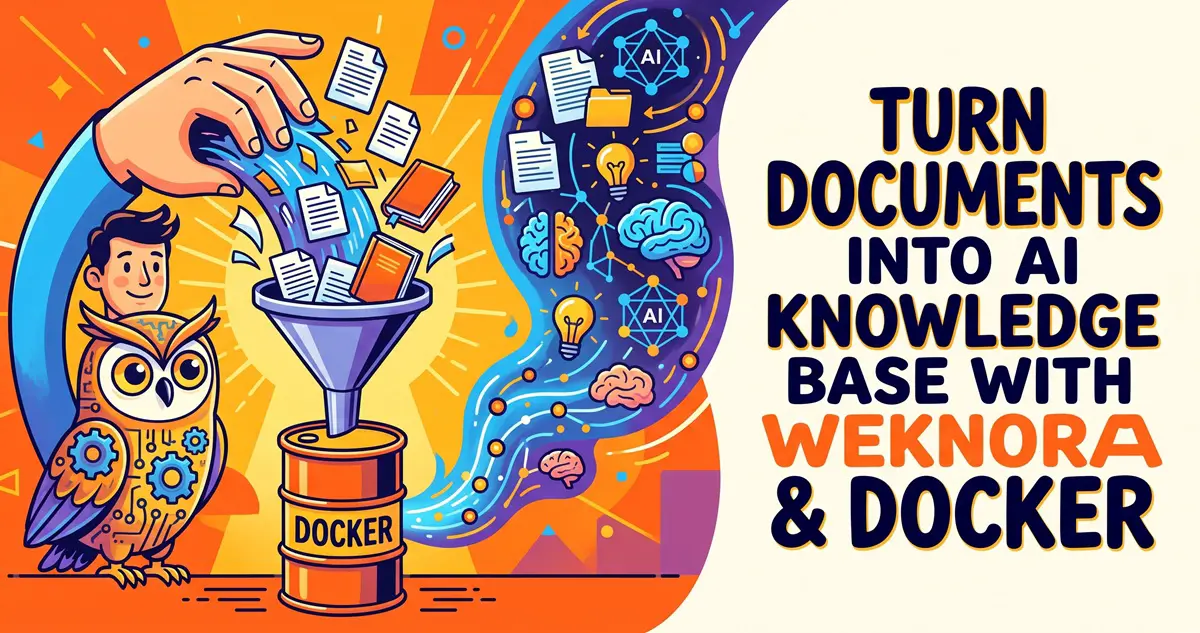
WeKnora is Tencent's open-source (MIT, 30k+ stars) self-hosted knowledge base that turns scattered docs — Lark, Yuque, Notion, local PDFs — into citation-backed RAG Q&A with agent reasoning and auto-generated wikis. Deploys with a single Docker command. Built for teams and individuals drowning in documents who want their own searchable AI brain instead of 30-minute manual hunts.
In a nutshell: Tencent has open-sourced WeKnora (MIT license), a self-hosted LLM knowledge base platform with over 30k stars. It transforms documents from Lark, Yuque, Notion, and local files into citation-backed RAG Q&A bases, complete with Agent reasoning and auto-generated wikis. Best of all? You can spin it up with a single Docker command.
The Pain Point: Drowning in Docs and Wasting Time Searching
Company docs live in Lark, personal notes in Notion, product manuals are scattered across endless PDFs, and WeChat group files constantly expire. Whenever you need a specific configuration parameter, you first have to spend 30 minutes trying to remember where you saved it.
On the flip side, plenty of people want to set up their own RAG knowledge bases. Sure, you can hack something together with LangChain, but handling document parsing, chunking, vector databases, reranking, and building a custom web UI from scratch quickly becomes a maintenance nightmare.
WeKnora’s mission is simple: turn this complex stack into an out-of-the-box product—upload documents, configure your models, start asking questions. Three simple steps.
What Can It Do?
It boils down to three core capabilities, all running on top of the same unified knowledge base:
- Lightning-Fast Q&A: Retrieves relevant snippets to generate precise answers. Every response includes direct citations to the source material, and clicking a citation jumps straight to the exact paragraph.
- Intelligent Reasoning: Features a ReAct Agent mode that autonomously plans multi-step tasks—searching the database, reading docs, calling tools, or even interacting with a browser via the BrowserSkill extension, with the entire execution path fully visible.
- Auto-Generated Wikis: Extracts entities, products, and concepts from your documents to automatically build interconnected Markdown wiki pages and knowledge graphs. Pages are fully editable and support version rollbacks.
It also packs a ton of peripheral features: automatic syncing for Lark/Lark Drive, Confluence, GitLab, Notion, Yuque, DingTalk docs, and RSS feeds; IM integrations for WeChat Work, Lark, Slack, Telegram, QQ, and standard WeChat; a built-in MCP Server so you can feed it directly to Cursor or Claude as a knowledge base tool; and native support for over a dozen file formats including PDF, Word, Excel, PPT, EPUB, XMind, images, and audio.
It supports 27 different model providers: local Ollama instances, DeepSeek, Qwen, Zhipu, SiliconFlow, or any OpenAI-compatible API. Chat models and embedding models are configured separately, and the UI even includes a handy connectivity test button.
Getting Started: Standard Deployment in 4 Steps
System requirements: Docker and Docker Compose. For the standard version, the official recommendation is a minimum of 4 CPU cores and 8GB of RAM (since docreader bundles LibreOffice and Playwright, which are quite memory-hungry). Keep in mind that this number does not include the resource overhead of running local Ollama model weights.
1. Clone the repository and configure environment variables
git clone https://github.com/Tencent/WeKnora.git
cd WeKnora
cp .env.example .envFill in the required fields in your .env file: DB_USER / DB_PASSWORD / DB_NAME, REDIS_PASSWORD, JWT_SECRET, and SYSTEM_AES_KEY. You can generate secure keys using OpenSSL:
openssl rand -hex 32   # JWT_SECRET
openssl rand -hex 16 # SYSTEM_AES_KEY (32 bytes)Crucial Note: You must keep the same SYSTEM_AES_KEY across updates, otherwise any previously encrypted credentials cannot be decrypted.
2. Launch the stack
make start-all     # All-in-one wrapper: pulls images, validates .env, and checks Ollama
# Or run natively:
docker compose pull && docker compose up -d3. Register and Log In
Open http://localhost in your browser. The first visit will prompt you to create an account (there are no default credentials). Once registered, it automatically initializes a personal workspace where you are set as the Owner.
4. Create a KB, Configure Models, Upload Docs, and Query
Head to the “Knowledge Base” page to create a new repository (choose between a document base or an faq base). The initialization wizard will guide you through picking your chat and embedding models:
- Local Ollama: Run
ollama serveon your host machine first, then point the container tohttp://host.docker.internal:11434. - Remote APIs: DeepSeek, Qwen, Zhipu, etc. Just drop in your
base_urlandapi_key, then hit the “Test” button to verify connectivity.
Next, simply drag and drop files or paste web URLs to upload. Document parsing happens asynchronously (moving through pending → processing → finalizing → completed). Once parsed, jump into the chat interface, select your knowledge base, and start asking away. If your answers render properly and citations are clickable, your RAG pipeline is fully operational!
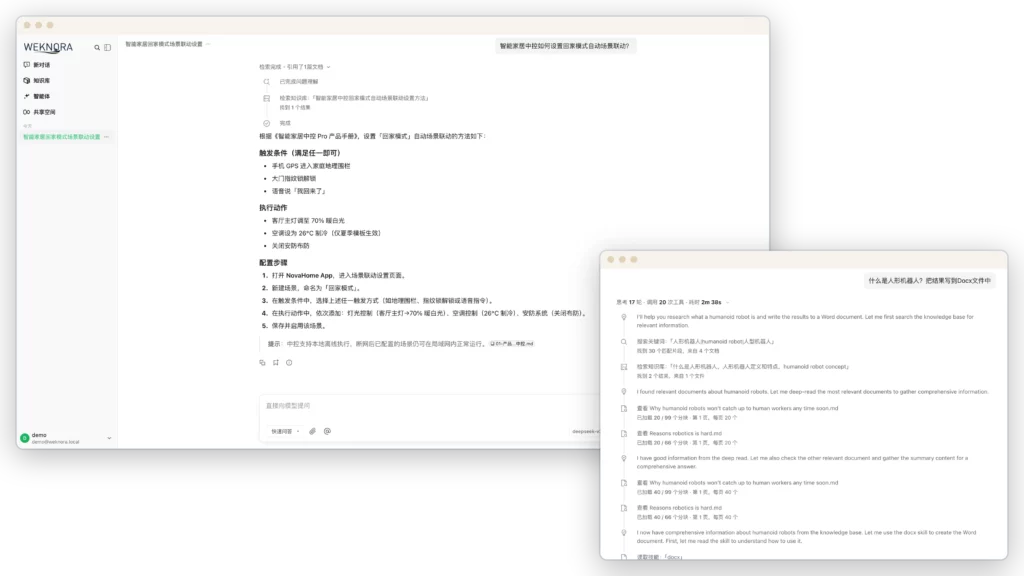
If you want to skip Docker altogether, there is also a Lite Single-Binary version available utilizing SQLite and an in-memory queue with zero external dependencies—perfect for personal, local usage. Note that the native desktop app has not been officially released yet, so don’t hold your breath.
Hardware Requirements at a Glance
| Deployment Mode | Configuration |
|---|---|
| Docker Standard Edition | 4 Cores CPU / 8GB RAM minimum (excluding model weights); disk space scales with KB size |
| Lite Single-Binary | Low-resource local setups, SQLite + in-memory queue, zero external dependencies |
| Models | Remote APIs are the easiest; local Ollama running models like qwen3:8b requires an additional 8GB+ RAM/VRAM |
If you want a fully localized stack, pairing qwen3:8b (for chat) with bge-m3 (for embeddings) is the recommended setup from the official docs, which easily runs on any modern desktop with a decent GPU or an Apple Silicon Mac. For a deep dive into Ollama installation and model selection, check out our guide: The Ultimate Local AI Deployment Survival Guide: From Bare-Metal Scripting to Polished Setup.
Frequently Asked Questions (Official FAQ Recap)
Ollama connection fails during initialization?
A: Inside the container, localhost refers to the container itself. To reach Ollama on the host machine, use http://host.docker.internal:11434. On Linux, make sure your docker-compose file includes extra_hosts: host.docker.internal:host-gateway.
Documents get stuck in the processing state after upload?
A: Check your container logs via docker logs WeKnora-docreader. Large files are subject to the MAX_FILE_SIZE_MB limit (default is 50MB) and parsing timeouts (default is 2 hours). Scanned PDFs will naturally take longer.
Q&A returns no citations or empty retrieval results?
A: First, ensure the document parsing status reads completed. Next, verify that your embedding model hasn’t changed since the knowledge base was created (switching embedding models requires re-indexing). You can also try lowering the vector_threshold.
Q: The registration page has disappeared!
A: Check the registration_mode under GET /auth/config. The administrator may have disabled public sign-ups in “Settings → System”. In this case, you’ll need to use an invite link.
Any hidden gotchas with Docker self-hosting?
A: Check out our Docker practical guide on Deploying Prompt Optimizer on Your LAN with Docker for useful insights on port mapping and local network access.
Three Reality Checks Before You Dive In
- Do not expose it directly to the public internet. The official README explicitly warns that production deployments should remain safely behind a private intranet. A cross-tenant data isolation vulnerability (GHSA-2f4c-vrjq-rcgv) was just patched in mid-September—when self-hosting, security is entirely your responsibility.
- It iterates rapidly, so upgrade with care. With over 40 releases under its belt, WeKnora relies on ParadeDB (PostgreSQL 17 + vector extensions). Major cross-version upgrades require reading the changelogs carefully; blindly running
docker compose pull && upmight break things. - The desktop app isn’t ready yet. The README states clearly that for the desktop client, “no installer is published yet.” If you are looking for a double-click-and-play desktop app, you’ll have to wait unless you’re willing to build from source.
Who Is This For (And Who Should Skip It)?
Ideal for: HomeLab and NAS enthusiasts looking to spin up a private knowledge base; small teams wanting to turn Lark or Yuque documentation into an interactive chatbot; developers experimenting with RAG who don’t want to build a pipeline from scratch using LangChain; and anyone looking to connect private knowledge bases to Cursor or Claude via MCP (for an MCP deployment walkthrough, check out our guide on Integrating MCP Services with Local LLMs).
Not ideal for: Users who just want to query a couple of PDFs without wanting to install any software (that’s using a sledgehammer to crack a nut); people expecting an out-of-the-box proprietary model experience (you still need to supply API keys or run a local model); or teams needing a public-facing enterprise deployment with zero internal IT expertise.
The Final Verdict
WeKnora tackles the age-old problem of turning personal and team documentation assets into conversational knowledge. It doesn’t rely on empty hype: a single Docker command brings up the service, its Chinese documentation is top-notch, and it integrates natively with Lark, Yuque, and Notion. For tech-savvy Chinese homelabbers, its out-of-the-box usability is a breath of fresh air. Spin it up on your local network first—you can worry about public access later.
Related Links
- GitHub Repository: https://github.com/Tencent/WeKnora (README includes Simplified Chinese)
- Documentation: https://weknora.weixin.qq.com/docs
- Open Source License: MIT (Check the LICENSE file and
licenses/directory for third-party component licenses) - Current Version: v0.8.2 (Sept 24, 2026), with commits as recent as yesterday (Sept 28, 2026)