Owners of the RX 6000 series have long been locked out of FSR 4, and for those of us clinging to our older cards, trying to force the INT8 version previously was a nightmare. The ghosting was everywhere, making games look like they had a double-exposure filter applied. You were left with a choice: roll back to ancient drivers or hack your latest Adrenalin install, risking constant crashes and black screens.
Now, OptiScaler 4.0.2b has arrived to save the day: ghosting is essentially eliminated, and it works perfectly with the latest Adrenalin drivers—no mods required. Even older NVIDIA cards can force it, and frankly, the image quality puts standard FSR 3.1 to shame.
Download Links (Use official channels to get the latest builds):
- OptiScaler Main Project: https://github.com/optiscaler/OptiScaler (Download the latest package from Releases; it includes FSR4 support)
- Official Discord (FSR INT8 4.0.2b files and nightly builds are often posted here): https://discord.gg/wEyd9w4hG5 (Check the #announcements or #releases channels for the 4.0.2b DLL)
- Compatibility List & Docs: https://github.com/optiscaler/OptiScaler/wiki/FSR4-Compatibility-List
Installation Steps
1. For games with native FSR 3.1 (e.g., Death Stranding, Crimson Desert)
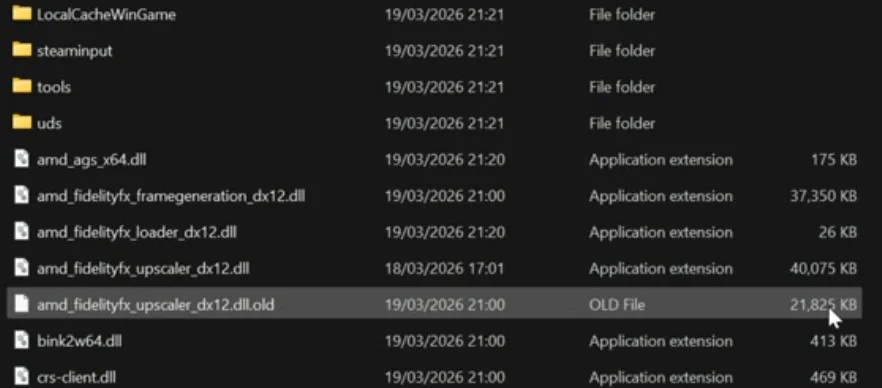
- Navigate to your game directory and find fidelityfx.dll (should be 20+MB).
- Rename it for backup: fidelityfx.dll.old
- Copy the FSR INT8 4.0.2b DLL into the folder to replace the original.
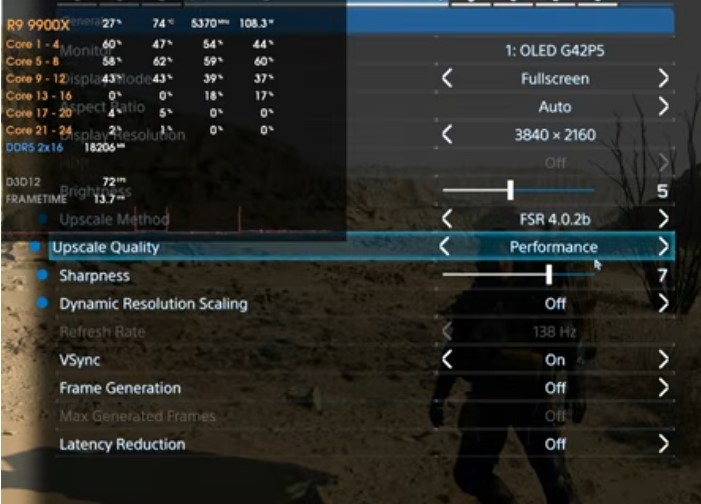
- In-game settings → FSR → Select FSR 4 mode (Quality/Balanced/Performance/Ultra Performance).
2. For older games without FSR 3.1 (e.g., Alan Wake 2, use OptiScaler injection)
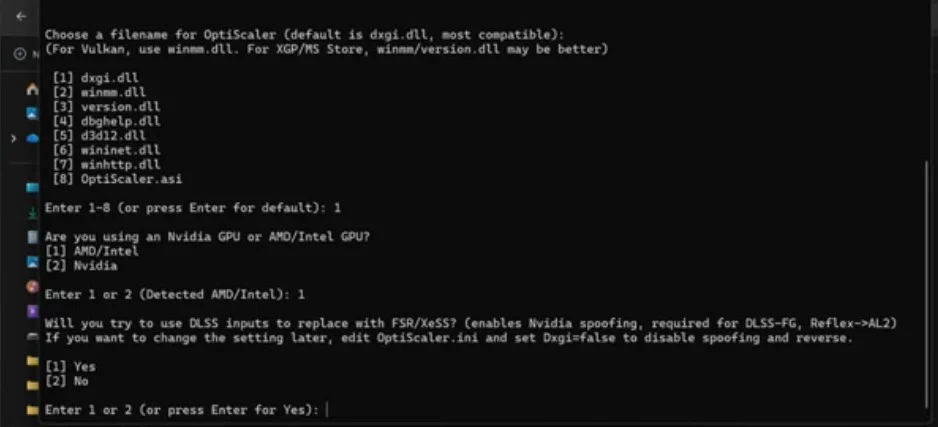
- Download the OptiScaler package and copy all files (dll, ini, etc.) into the game’s .exe directory.
- Launch the game and press Insert to open the menu.
- Set your Input Source to LS1 (this is the most stable option).
- Under Upscale, select FSR 3 first, then switch to FSR INT8 4.0.2b.
- Adjust your resolution/mode and save.
For Frame Generation, use FSR 3.1 FG (or select FSR FG / LSFG in the OptiScaler menu). On an RX 6950 XT, I’m seeing 100+ FPS with FSR 4 Balanced + FG, and the frame pacing is silky smooth.
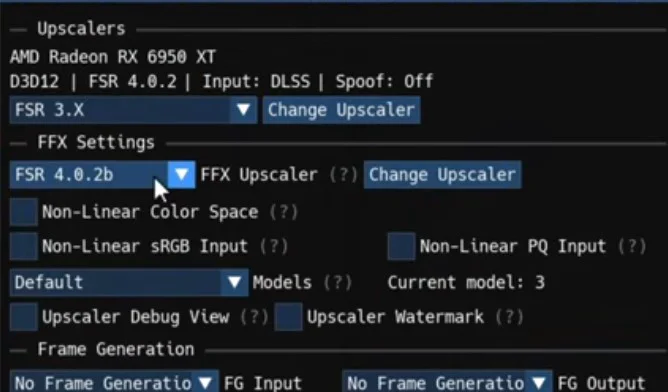
Performance Benchmarks (RX 6950 XT + Death Stranding, Native 4K High Settings)
- No Upscaling: 44 FPS
- Game’s native Pico Performance: High FPS but foliage flickers, details look muddy.
- FSR 4 Performance: 72 FPS, foliage is crisp with zero flicker, stable details.
- FSR 4 Ultra Performance: FPS similar to Pico, but with much better stability and clarity.
Performance cost: Roughly 20-30% higher than FSR 3, but absolutely worth it.
A Note on Risks
- Avoid using this in competitive multiplayer games (Valorant, CS2, etc.) as it may trigger anti-cheat bans.
- Single-player and non-competitive titles (No Man’s Sky, Marvel Rivals) are generally safe.
The community has outdone AMD once again—time to breathe new life into those older cards.
3 Common FAQ
Q1: Is FSR 4.0.2b the official version?
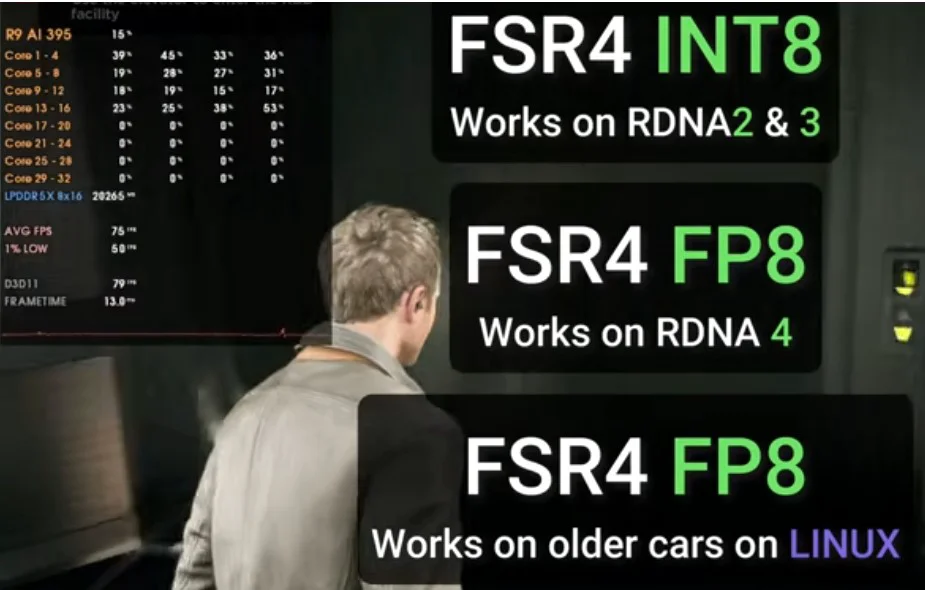
A: No. The official FP8 implementation is currently restricted to the RX 9000 series. This is a community-leaked INT8 enhanced version. While it offers image quality very close to the official version, it does have a higher performance cost. The community refers to this as “FSR 3.9+.”
Q2: Where is the safest place to download it?
A: Always use the GitHub Releases page or the official Discord. Avoid third-party file hosters to stay safe from malware. Check the Discord for 4.0.2b or nightly builds.
Q3: Does this work on an NVIDIA GTX 1060?
A: Yes. OptiScaler allows you to inject FSR 4 on older NVIDIA hardware. You will see a significant jump in image quality, though the performance hit is higher than on newer cards. Start with the Balanced preset and tune from there.