Are you fed up with AMD Adrenaline? It’s a resource hog that loves to live in your system tray, acts up periodically, and features a bloated, distracting interface. If you’ve ever tried to perform a “Driver Only” install to avoid the fluff, only to find yourself unable to overclock, tweak fan curves, or enable FSR, you know the struggle. While NVIDIA users have enjoyed total control via Profile Inspector for years, the AMD ecosystem has long lacked a lightweight, reliable alternative. Well, the wait is over: Radeon Tuner is here!
It is an open-source, portable, and extremely lightweight utility that doesn’t run in the background. It packs almost every essential tuning feature from Adrenaline into a clean interface, offering even more granular control over fan curves and power limits.
Why are users ditching Adrenaline?
- Persistent background processes consuming CPU and RAM
- Settings frequently resetting after driver updates
- Inability to manage basic overclocking with a clean “Driver Only” install
- A cluttered, over-designed interface that hinders workflow
If these pain points resonate with you, Radeon Tuner is the hero you’ve been waiting for.
Getting Started (30-Second Setup)
Official GitHub Repository (always download the latest version from here): https://github.com/dumbie/RadeonTuner
Installation Steps:
- Visit the link above and navigate to Releases (Version 0.9.0.0, released June 2025, remains actively maintained in 2026).
- Download the latest ZIP archive.
- Extract and run RadeonTuner.exe directly.
There is zero installation required, no admin privileges needed, and it doesn’t leave a footprint. Just close the app when you’re done, and your system resources remain untouched.
Pro-tip: For the best experience, perform a fresh “Driver Only” AMD install before using this tool.
What Can It Actually Do?
1. Tuning: Overclocking, Undervolting, and Fan Control
The core utility section:
- GPU Selection (Supports 7900 XTX, 9070 XT, and beyond)
- Core/Memory clock, Power Limit, and Voltage
- The Adrenaline Edge: Allows power limiting based on Amperes (Amps) for better precision
- Highly customizable fan curves, which many users report are significantly more stable than the factory defaults
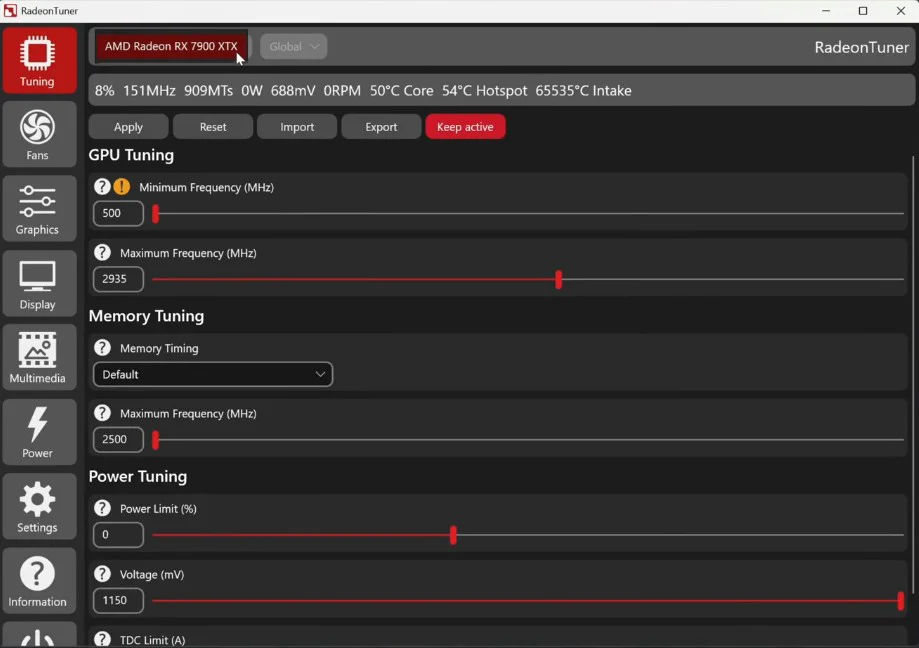
(The Tuning interface offers clear, accessible controls for all your overclocking needs.)
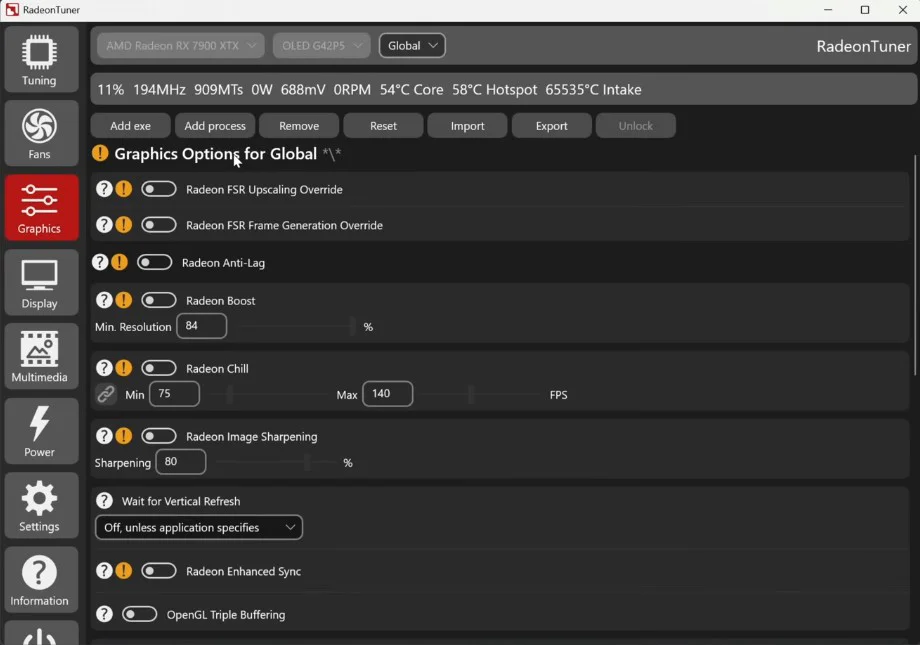
2. Graphics Settings: Gamer-Centric Tweaks
- Anti-Lag, Boost, and Chill (my personal favorite for frame rate capping)
- Image Sharpening
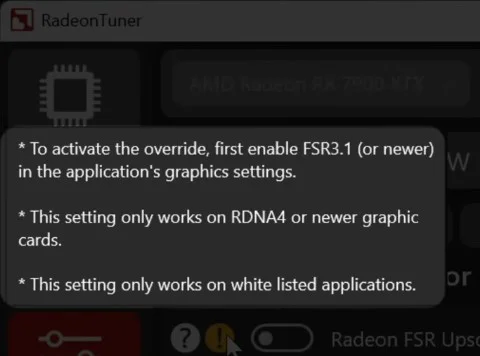
- FSR Upscaling + Frame Gen override (Currently native to RDNA4 and newer; legacy toggles are present for potential future community mods)
- Enhanced Sync, Morphological AA, and more
3. Display Settings & More
- FreeSync, Virtual Super Resolution (VSR), GPU Scaling, and Color Temp adjustments
- SmartShift management for mobile devices
- Real-time telemetry (PCIe link speed, temperatures, etc.)
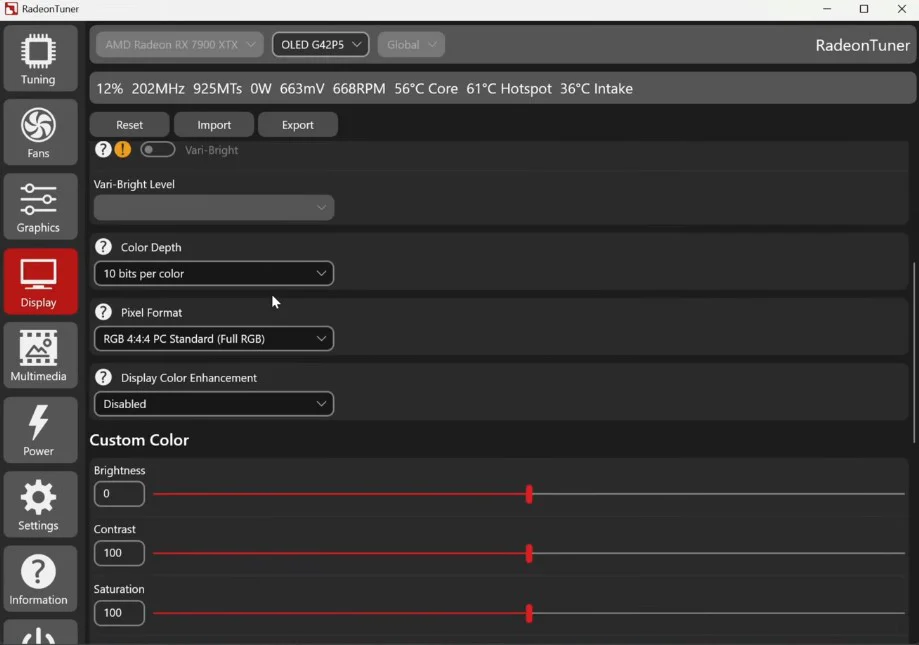
(The Display tab keeps all your monitor and output configurations in one place.)
Analogy: If Adrenaline is a heavy, fuel-guzzling off-road vehicle, Radeon Tuner is a precision Swiss Army knife—it’s not flashy, but it’s sharp, efficient, and gets the job done.
Verdict
Pros:
- Extremely lightweight with zero background overhead
- Covers all essential overclocking, fan, and graphical features
- Superior granular control (e.g., Amp-based power limiting)
- Supports profile import/export for easy backups
Cons:
- “Utility-first” interface (lacks the aesthetic polish of Adrenaline)
- FSR4 injection restricted to newer architectures
- Occasional minor telemetry inaccuracies
In short: If you hate the bloat of Adrenaline but don’t want to sacrifice control, Radeon Tuner is the most reliable lightweight solution available. It’s perfect for minimalists and users sticking to a “Driver Only” setup.
FAQ
Q1: Do I need to install Adrenaline to use this?
Not at all. Simply install the base AMD GPU driver (Driver Only) and run the Radeon Tuner executable.
Q2: Where is the safest place to download Radeon Tuner?
Only use the official GitHub: https://github.com/dumbie/RadeonTuner. Avoid third-party sites.
Q3: Can I use FSR4 frame generation on older GPUs?
Not currently (requires RDNA4 or newer). While the toggles exist in the UI, they won’t trigger on legacy hardware. Keep an eye on the community for future mods.