
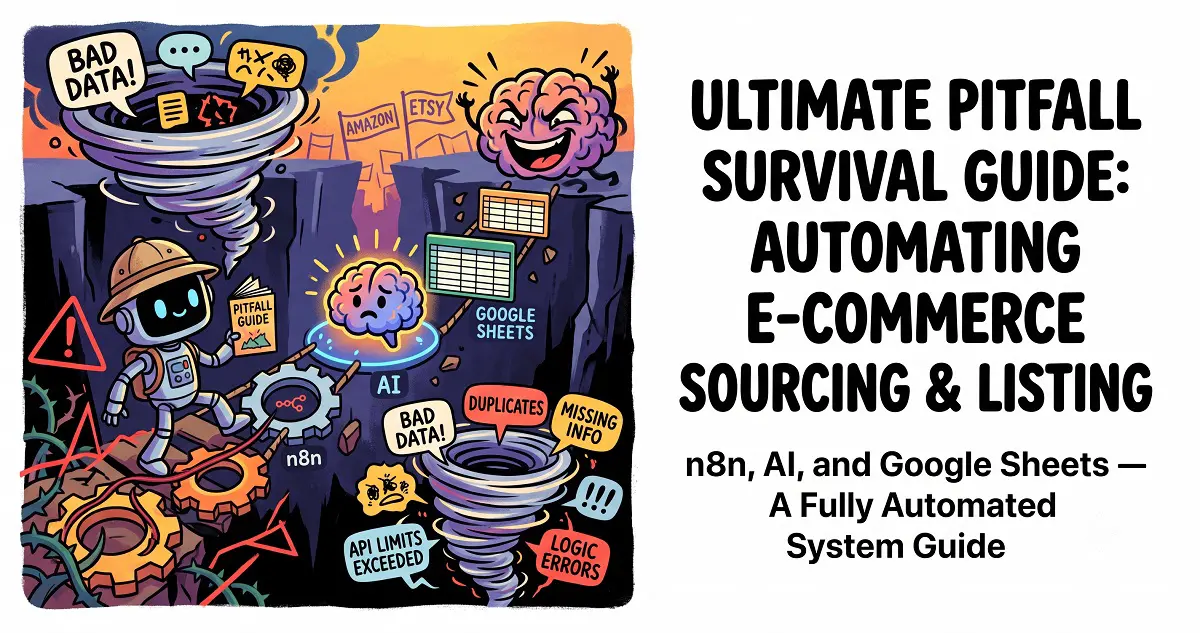
For anyone in the trenches of cross-border e-commerce, product sourcing and listing are easily the most time-consuming and labor-intensive tasks. As a dedicated HomeLab enthusiast who loves anything self-hosted, I recently engineered and brought online a fully automated cross-border product sourcing and listing pipeline.
This powerful system automates the entire process, encompassing: one-click browser triggering – Webhook reception – large language model (LLM) AI-powered rewriting and translation – multi-image splitting and bulk upload to e-commerce platform drafts – and automated data logging and archiving.
Getting this pipeline “production-ready” wasn’t without its challenges. I stumbled into several thorny issues, including cross-node data “amnesia,” JSON parsing errors due to unexpected formatting, and the deceptive front-end currency rendering tricks of international e-commerce platforms. In this post, I’ll openly share the full solution and the crucial anti-pitfall code I developed, so you can bypass these headaches entirely.
🚀 System Core Architecture & Workflow Overview
This entire automation solution is built from the ground up using the open-source workflow engine n8n. Here’s a look at the core flow:
[Browser One-Click Bookmarklet (JavaScript)]
       │ (Scrapes front-end displayed price & URL)
       ▼
[n8n Webhook Receiver]
       │
       ├─► [AI Large Language Model/JavaScript Node] (Automated rewriting, translation, and key selling point extraction)
       ├─► [Split Out & Aggregate Node] (Loops through multiple images for download, uploads to e-commerce backend)
       │
       ▼
[One-Click E-commerce Draft Generation] ──► [Google Sheets Product Review & Archiving]
🛠️ Core Node Configuration & Bulletproof Code Implementation
1. Empowering Your Browser Bookmarklet with “What You See Is What You Get” (WYSIWYG)
The Problem Revisited: Many international e-commerce platforms (like Amazon) perform a bit of “front-end visual magic” when you switch currencies (e.g., from JPY/USD to CNY). While you see the converted price, the underlying HTML meta data often retains the original currency. If your bookmarklet merely sends the URL for a backend re-crawl, your AI will consistently extract the original currency. With exchange rates fluctuating daily, this becomes a management nightmare.
The Ultimate Fix: We’re upgrading our bookmarklet into a “smart scraper.” When clicked, it directly extracts the rendered CNY price you actually see on the page, along with the current URL, and sends both to your n8n Webhook.
Enhanced One-Click Scraper Bookmarklet Code (Create a new browser bookmark and paste this single line of code into the URL field):
JavaScript
javascript:(function(){var currentUrl=window.location.href;var priceEl=document.querySelector('.a-price .a-offscreen')||document.querySelector('#priceblock_ourprice')||document.querySelector('.a-color-price');var priceVal=priceEl?priceEl.innerText.replace(/[^0-9.]/g,''):'0';var webhookUrl='https://YOUR_N8N_DOMAIN.com/webhook/amazon-draft?url='+encodeURIComponent(currentUrl)+'&price='+priceVal;fetch(webhookUrl,{mode:'no-cors'}).then(()=>alert('🚀 Link and front-end displayed price (¥'+priceVal+') sent to n8n!')).catch(err=>alert('⚠️ Send failed, please check n8n status.'));})();2. Conquering Cross-Node Data “Amnesia” with Optional Chaining for Crash-Proofing
The Problem Revisited: In n8n, when product data is processed through Split Out (to handle multiple images for download/upload) and then Aggregate (to re-pack those images into an array), the workflow’s crucial “data lineage” can get lost. If you then attempt to directly access original data like the product title or price using expressions like $('Node Name').item.json.xxx, n8n will often return undefined. Crucially, without proper handling, this undefined value can break the surrounding JSON structure (especially if it replaces a string that should be double-quoted), leading to a complete workflow crash.
The Ultimate Fix: For the JSON Body of your API calls, embrace a bulletproof approach: leverage “native JavaScript objects” combined with the .first() method to ensure you always target the initial item, and critically, employ ?. optional chaining for robust crash prevention.
💡 E-commerce Draft Node: Core Body Configuration
Forget the headache of meticulous double-quote placement! Entrust the entire structure to n8n’s powerful expression engine. It will automatically convert this native JavaScript object format into the standard JSON required by your backend API:
{{
{
  "cate_id": [1],
  "store_name": $('Code in JavaScript').first()?.json?.title || "Unknown Product",
  "image": $('Aggregate').first()?.json?.crmeb_images?.[0] || "",
  "slider_image": $('Aggregate').first()?.json?.crmeb_images || [],
  "price": Number($('Webhook').first()?.json?.query?.price || 0),
  "stock": 999,
  "cost": 0,
  "ot_price": Number($('Webhook').first()?.json?.query?.price || 0),
  "is_show": 0,
  "is_hot": 0,
  "is_benefit": 0,
  "is_best": 0,
  "is_new": 0,
  "is_postage": 0,
  "is_good": 0,
  "spec_type": 0,
  "mer_use": 0,
  "coupon_ids": [],
  "label_id": [],
  "command_word": "",
  "items": [{ "value": "Specification", "detail": ["Default"] }],
  "attrs": [
    {
      "pic": $('Aggregate').first()?.json?.crmeb_images?.[0] || "",
      "price": Number($('Webhook').first()?.json?.query?.price || 0),
      "cost": 0,
      "ot_price": Number($('Webhook').first()?.json?.query?.price || 0),
      "stock": 999,
      "weight": 0,
      "volume": 0,
      "bar_code": "",
      "detail": { "Specification": "Default" }
    }
  ],
  "description": Array.isArray($('Code in JavaScript').first()?.json?.description) ? $('Code in JavaScript').first()?.json?.description.join('<br><br>') : ($('Code in JavaScript').first()?.json?.description || "No details available")
}
}}3. Google Sheets for Team Product Sourcing & Automated Timestamps
While storing data in a local private cloud (e.g., via a proprietary table API) might seem appealing, it often leads to friction with closed ecosystems and obscure documentation. Returning to the native Google Sheets node proves to be an excellent, robust choice. By using OAuth2 credentials to link your personal Google account, you can effortlessly bypass the cumbersome permission sharing steps often associated with service accounts.
When appending data to your sheet, activate the fx expression mode, input the following mapping code, and include automatic timezone formatting:
| Spreadsheet Column Name | n8n Expression Code (Bulletproof Version) |
| Product Title | {{ $(‘Code in JavaScript’).first()?.json?.title || ‘No Title’ }} |
| CNY Price | {{ Number($(‘Webhook’).first()?.json?.query?.price || 0) }} |
| Key Selling Points | {{ Array.isArray($(‘Code in JavaScript’).first()?.json?.description) ? $(‘Code in JavaScript’).first()?.json?.description.join(‘\n’) : ($(‘Code in JavaScript’).first()?.json?.description || ‘No selling points’) }} |
| Original Link | {{ $(‘Webhook’).first()?.json?.query?.url || ‘No URL’ }} |
| Main E-commerce Image | {{ $(‘Aggregate’).first()?.json?.crmeb_images?.[0] || ‘No Image’ }} |
| Capture Time | {{ $now.setZone('Asia/Shanghai').toFormat('yyyy-MM-dd HH:mm:ss') }} |
🔥 Collaboration Tip: Once configured, simply click the “Share” button in the top-right corner of your Google Sheet. Add your colleagues’ Gmail addresses as “Editors”. This enables them to collaboratively review and adjust prices on the fly, whether from a mobile device or desktop, without ever interfering with your automated backend data collection process.
🏆 Pitfalls Conquered & HomeLab Takeaways
- Don’t Wrestle with Uncooperative Local APIs: If your local private table API documentation is vague, or lacks proper independent authentication, pivot decisively to a well-established middleware solution (like the Google Sheets node or native MySQL/MariaDB nodes). This will save you a tremendous amount of precious time debugging gateways and managing cookies.
- Bulletproof Code (Optional Chaining) is Non-Negotiable: Large Language Models can sometimes output inconsistent JSON fields – an array one time, a plain string another. Without robust type checking using
?.(optional chaining),Array.isArray(), and default fallbacks with||, a single missing field in just one product’s data can bring your entire automation pipeline crashing down. - Always Back Up Your Data: Once your pipeline is humming along, don’t forget to export your workflow JSON by clicking
...->Downloadin the top-right corner of the n8n interface. For Docker users, regularly cold-backing up your mounted.n8n/database.sqlitefile is like purchasing lifetime insurance for your entire automation setup.
This automated product sourcing system has been running flawlessly for two weeks, maintaining a consistent data capture accuracy rate of 100%. If you’re leveraging n8n to supercharge your e-commerce supply chain or streamline your creator workflow, drop a comment below and let’s geek out over more advanced automation tricks!