
If you’ve recently picked up a top-tier CPU marketed with a ‘170W TDP’—like the Ryzen 9 9950X or an Intel i9-14900K—and paired it with a ‘180W capacity’ air cooler, you might be wondering why your temperatures are hitting 90°C+ and your fans are screaming like a jet engine during Cinebench or intense gaming. Don’t panic; it’s not bad luck, and your cooler isn’t a fake. The truth is, TDP has never actually been an accurate indicator of how much heat your CPU will generate under load. Today, we’re busting these myths to ensure you buy the best CPU cooler for your 2026 build, saving you money and headaches.
The Reality: TDP is a ‘Paper Standard,’ but CPUs Don’t Play by the Rules
TDP is essentially the ‘factory estimated fuel economy’ on a car sticker. It sounds great, but once you’re stuck in traffic, lead-footing the accelerator, and running the AC, your actual fuel consumption skyrockets. CPUs behave exactly the same way.
- TDP = Power consumption defined by the manufacturer at base clock speeds.
- In 2026, nobody runs at base clocks. CPUs come with aggressive automatic overclocking: AMD’s Precision Boost and Intel’s Turbo Boost 3.0 / Thermal Velocity Boost.
The result?
- Ryzen 9 9950X: Labeled 170W, but easily hits 230W+ under full multi-core load (even higher with PBO).
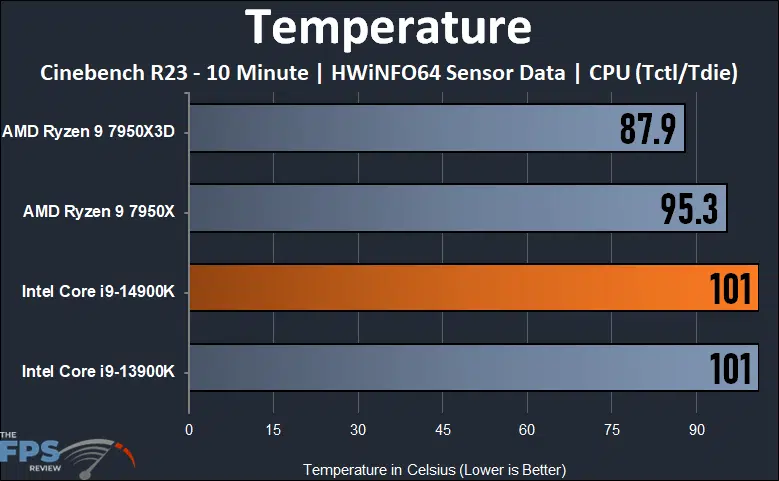
- Intel Core i9-14900K: Labeled 125W, but defaults to 253W (PL2), with many motherboards pushing it past 300W+.
- Even the mid-range i5-13600K: 125W TDP, but 180–200W is standard.
When you buy a ‘sufficient’ cooler based on a misleading spec, your CPU behaves like a rebellious teenager—exceeding its power limits until the cooler hits its ceiling, forcing the CPU to thermal throttle to save itself.
The Solution: Ignore TDP, Look at Real-World Power Consumption
Remember this ironclad rule: Cooler rated capacity ≥ CPU peak power consumption × 1.2–1.5 (to account for summer heat, restricted airflow, and dust). For AMD, look at PPT (Package Power Tracking), and for Intel, look at PL2/MTP (Maximum Turbo Power).
- Efficiency Kings: Ryzen 5 7600 / 7600X (90–130W); Ryzen 7 9700X (~140W); Intel i5-14400F / 14600K (150–200W).
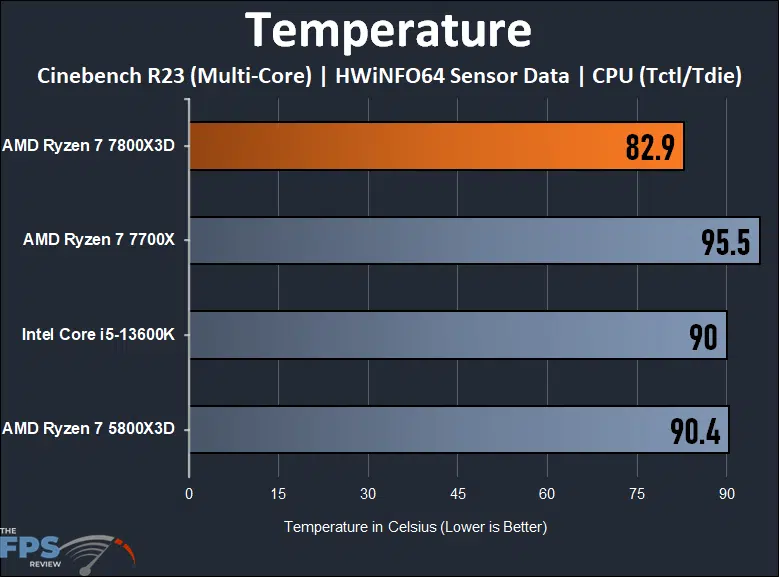
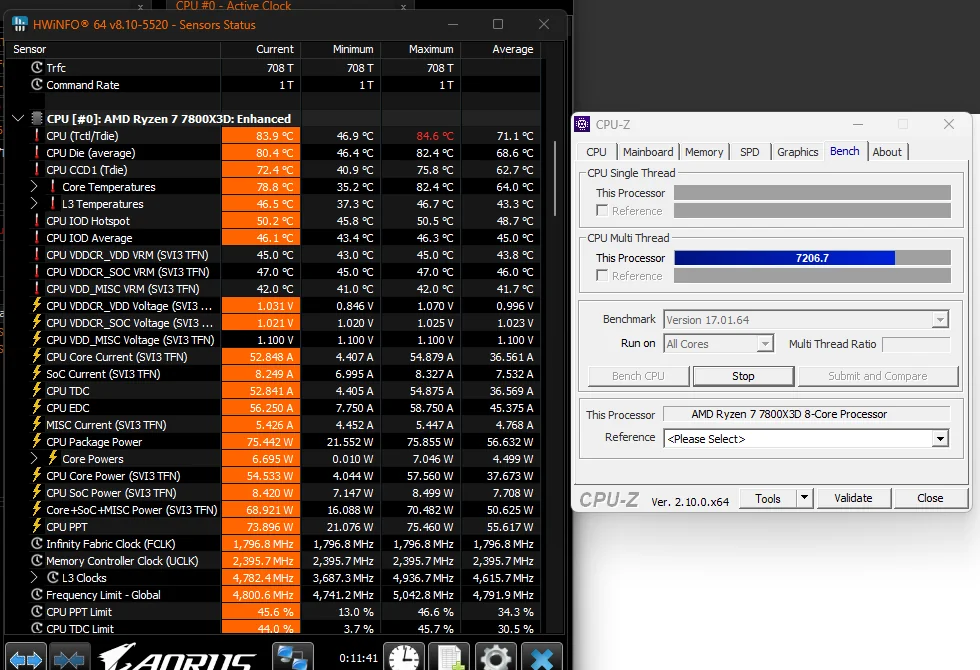
- Sweet Spot (Gaming + Productivity): Ryzen 7 7800X3D (~120W, the easiest to cool); Ryzen 9 9900X / 9950X (200–230W+); Intel i7-14700K (220–280W).
- Thermal Monsters: Intel i9-14900K / 14900KS (250–330W); Ryzen 9 9950X with PBO (230–280W+).
Cooler Tiers for 2026
- Low-profile/Single Fan (95–150W): Great for SFF builds, but not for heavy workloads.
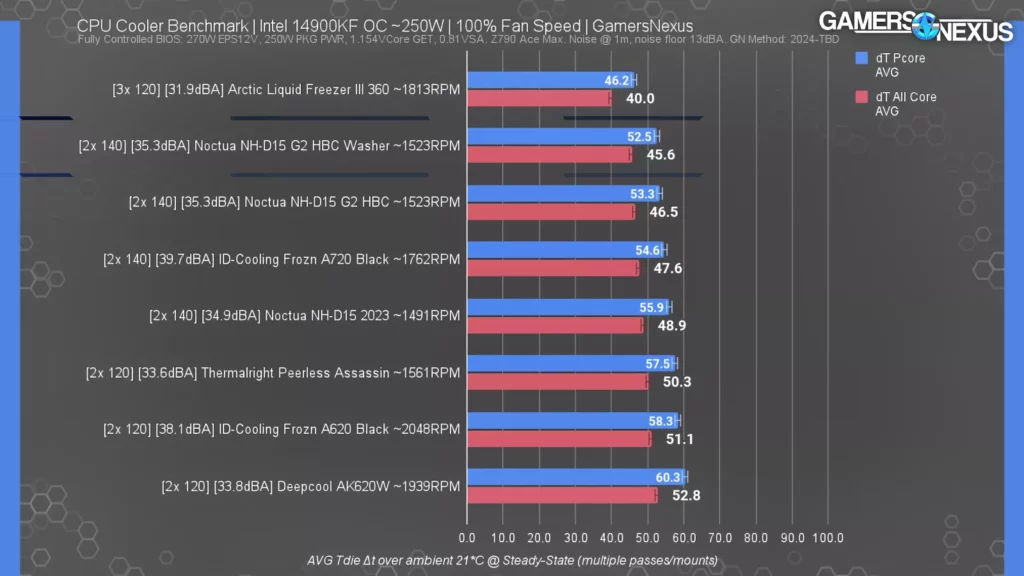
- Standard Single Tower (150–220W): Solid for gaming rigs (e.g., Peerless Assassin 120).
- Dual Tower Air Coolers (220–300W): The gold standard for quiet, high-performance air cooling (e.g., NH-D15, Dark Rock Pro 5).
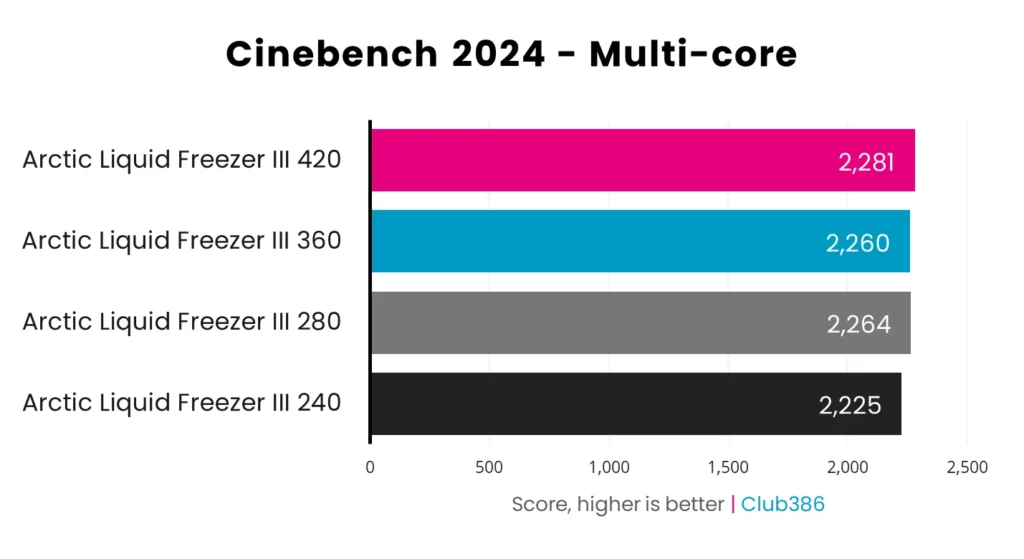
- 240mm AIO (230–280W): Performance parity with high-end dual towers.
- 360mm/420mm AIO (300–400W+): Necessary for heavy rendering, streaming, and maintaining silence in hot environments.
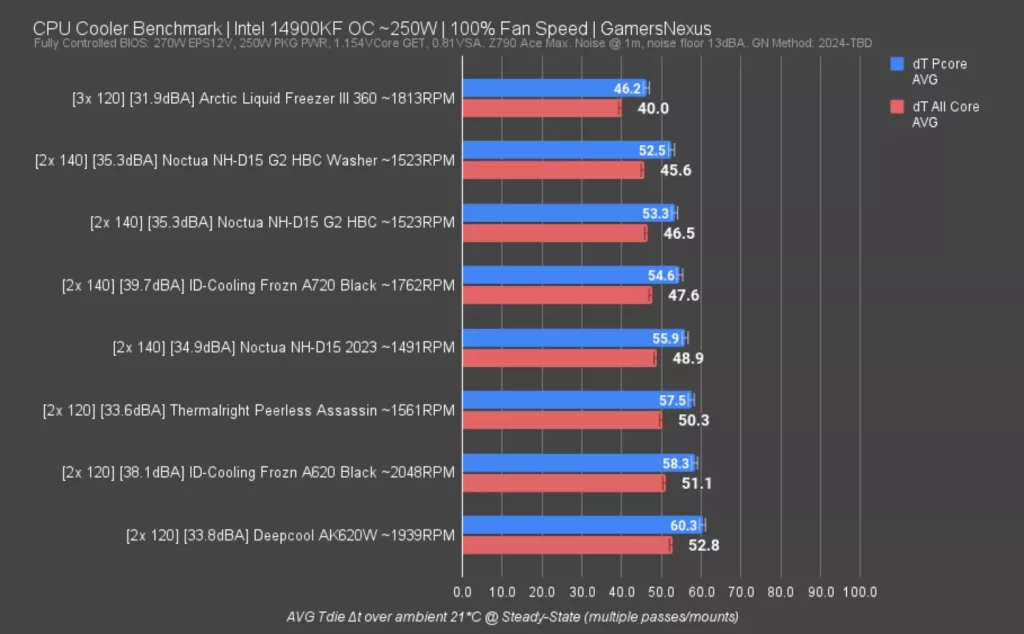
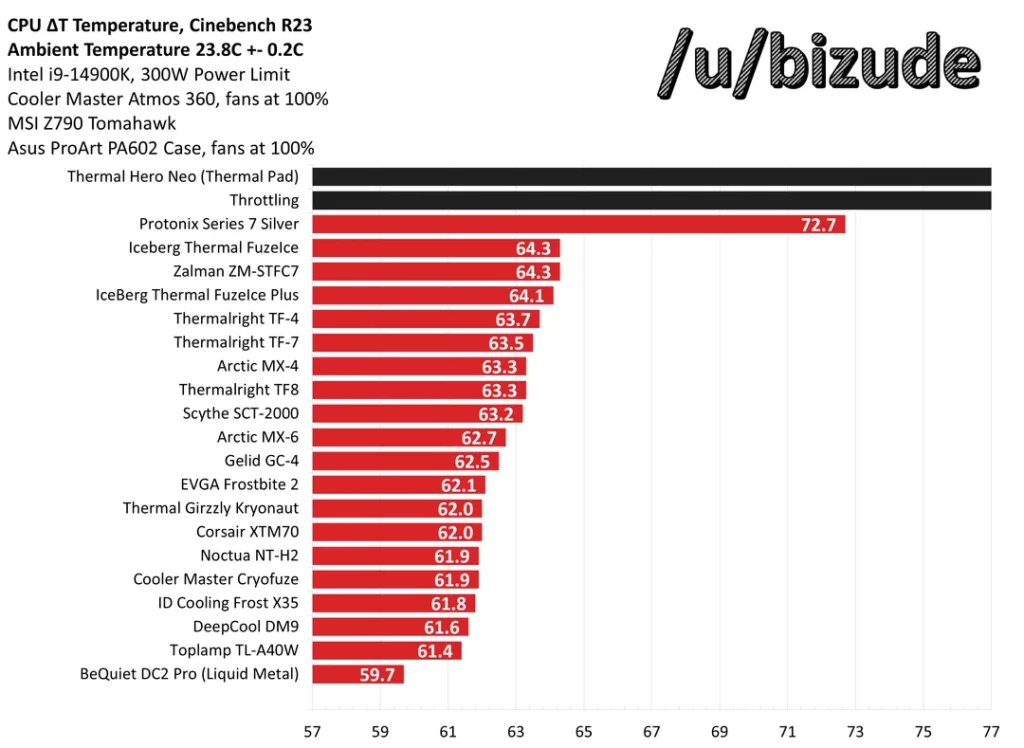
Bottom line: You can never have ‘too much’ cooling, but it’s very easy to buy too little. For 2026, set aside an extra $100–$150 in your budget for the cooler—it’s the best investment you can make to avoid thermal throttling. Check out more expert tech guides at VGoods Lab.