
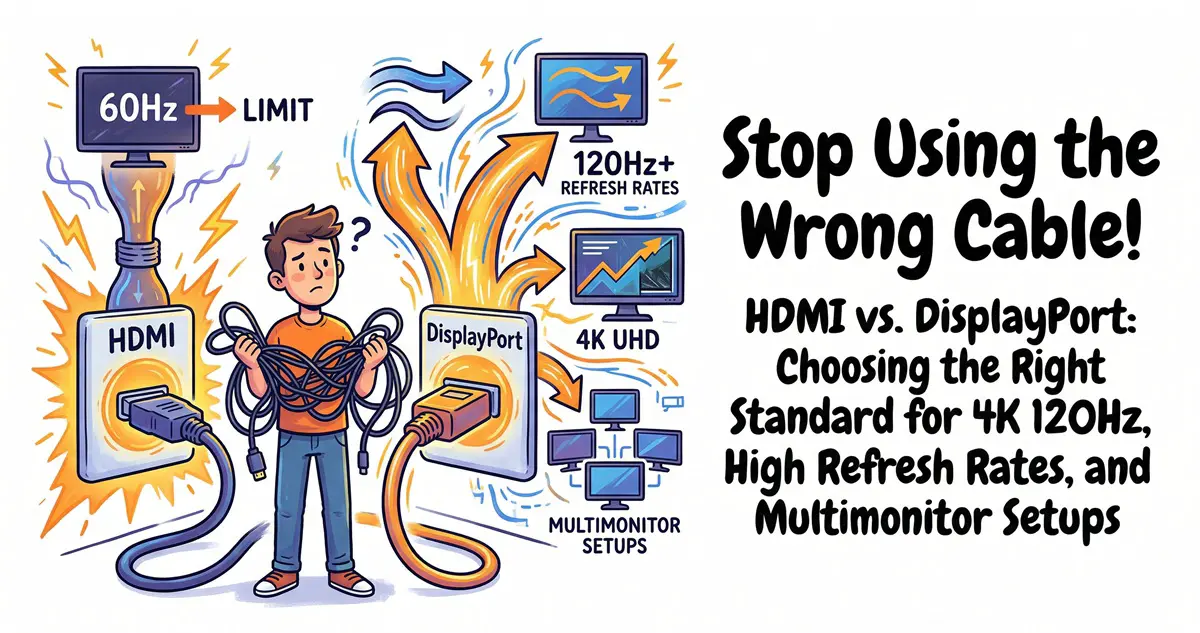
You just unboxed a lightning-fast 4K 240Hz gaming monitor, plugged it in with an HDMI cable, only to realize your refresh rate is capped at 120Hz—or worse, the image looks compressed and distorted. You might be tempted to blame the monitor, but the culprit is almost always the wrong “data highway” choice: HDMI versus DisplayPort.
While they look similar—both sporting flat connectors and transmitting audio and video—they serve two very different markets: HDMI is the comfortable family SUV, designed for living rooms, TVs, and gaming consoles like the PS5 or Xbox; DisplayPort is the high-performance race car, purpose-built for PC gaming rigs and professional multimonitor workstations.
The Pain Point: Why does my display feel sluggish?
- High-refresh gaming monitors (144Hz, 240Hz, 360Hz) often fail to reach their full frame rate over HDMI, or they rely on Display Stream Compression (DSC), which can cause slight color banding or input lag.
- Multimonitor office or creative setups are a nightmare with HDMI; you can’t “daisy-chain” multiple displays through a single port.
- Trying to connect a TV to a PC via DisplayPort? You likely won’t find a port, and if you do, you lose HDMI-specific features like ARC/eARC for passing audio to a soundbar.
- You end up wasting money on high-end cables that don’t actually unlock the performance you paid for.
The Solution: Understanding the DNA and Strengths of Each
HDMI (High-Definition Multimedia Interface) was born for home entertainment. It’s the universal socket, found everywhere from legacy DVD players to the latest 8K TVs. DisplayPort (DP) was developed by the VESA consortium specifically for computers, with a focus on raw performance, multimonitor arrays, and professional color fidelity.
A simple analogy:
- HDMI → Like an Airbnb: High compatibility, you can stay almost anywhere, but luxury features have their limits.
- DP → Like a private racing garage: Extremely powerful functionality, but exclusive to high-end PC hardware.

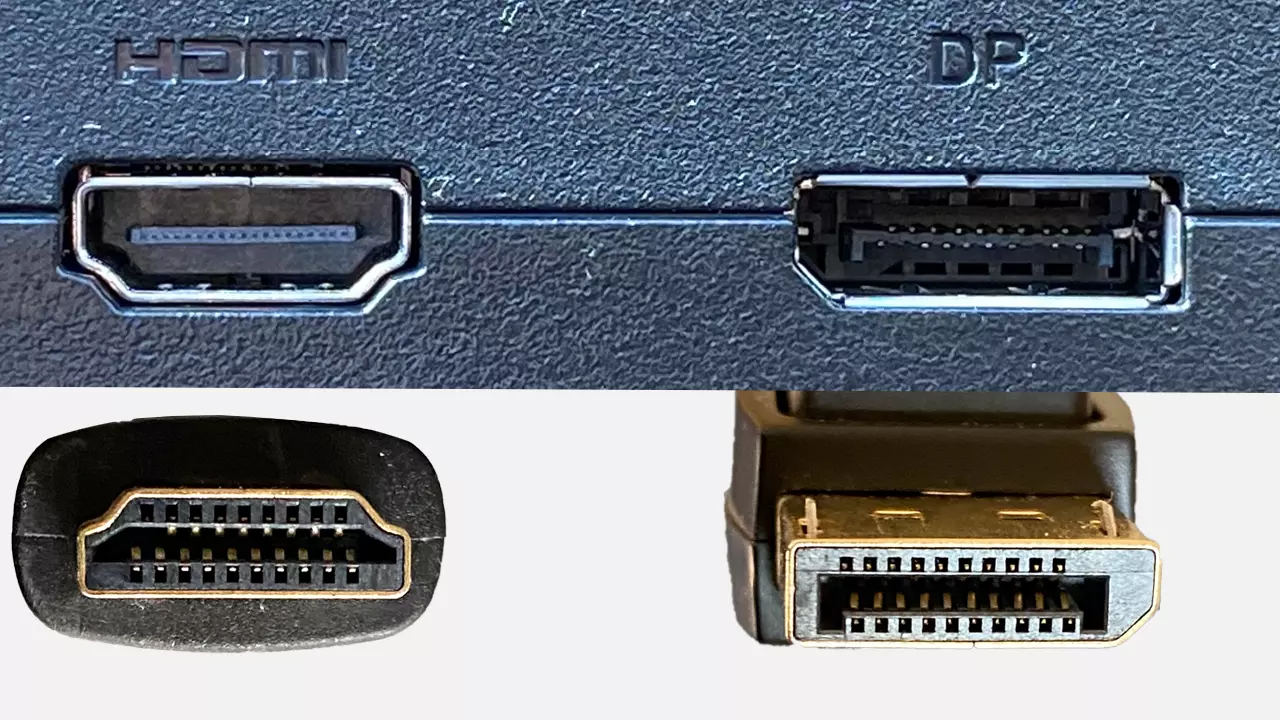
(The images above: HDMI connectors on the left vs. DisplayPort on the right. Notice the shape: HDMI is a flatter, symmetrical connector, while DP has a distinctive notched corner and often features a locking mechanism.)
The Breakdown: A 2026 Standards Comparison
Currently, the mainstream standards are HDMI 2.1 (48Gbps) and DisplayPort 2.1 (up to 80Gbps). While HDMI 2.2 (96Gbps) specs were finalized in late 2025, there is virtually zero device support in 2026, so it’s a non-factor for now.
- Bandwidth: This is the “pipe size” that determines how much data flows to your monitor.
- HDMI 2.1 (48Gbps): Sufficient for 4K 120Hz or 8K 60Hz, though it often relies on DSC compression.
- DP 2.1 (80Gbps): Native support for 4K 240Hz or 8K 120Hz with minimal compression. For gamers, DP is the winner, especially for high-refresh OLED/QD-OLED monitors that often only unlock their full potential via DisplayPort.
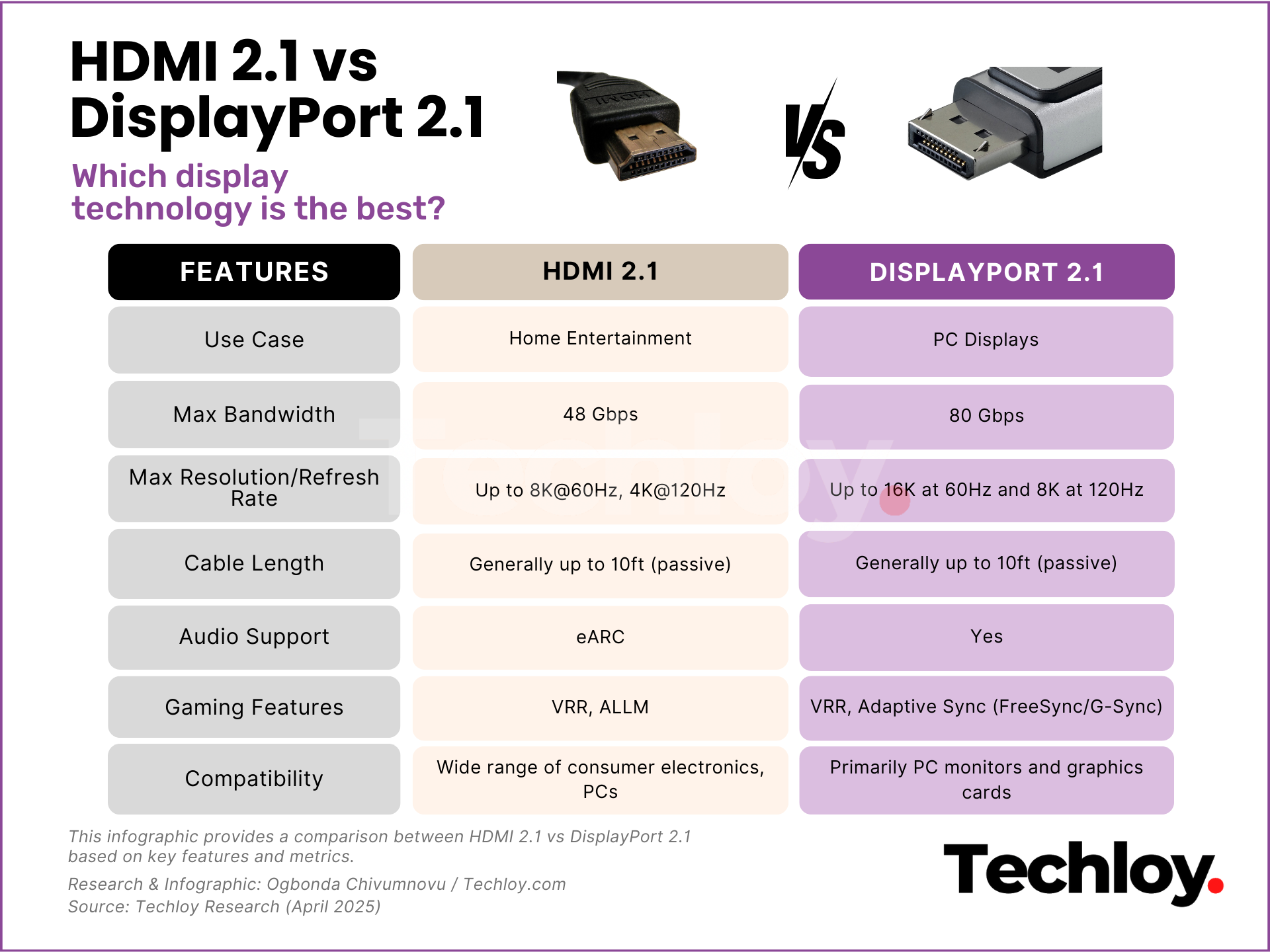
(This infographic compares the bandwidth and refresh rate capabilities of HDMI 2.1 and DP 2.1, clearly showing why DP dominates high-refresh-rate gaming.)
- Refresh Rates and Multimonitor Setups:
- 4K 120Hz: Both handle this well, but DP is often more stable.
- 4K 240Hz+: Exclusively dominated by DP 2.1 for many new 2025-2026 gaming monitors.
- Multimonitor: DisplayPort features MST (Multi-Stream Transport), allowing you to daisy-chain multiple monitors from a single port. HDMI does not support this.


(The diagrams above illustrate DP daisy-chaining: connect your PC to the first monitor, then ‘out’ to the next. Since Mac USB-C to HDMI adapters rarely support MST, DisplayPort remains the king of productivity setups.)
- Audio and Compatibility: Both handle high-end audio like Dolby Atmos, but HDMI wins on:
- eARC (Enhanced Audio Return Channel): Perfect for sending high-bitrate audio from your TV to a soundbar.
- ALLM (Auto Low Latency Mode) + VRR: Essential for console gaming. DisplayPort, meanwhile, natively supports Adaptive-Sync (FreeSync/G-Sync) without any extra fuss.
- Physical Design:
- DP: Often includes a locking latch to prevent accidental disconnection.
- HDMI: No latch, but it is slimmer and more ubiquitous.

(Pictured: Xbox Series X connecting to a TV via HDMI—the gold standard for living room entertainment.)
The 2026 Cheat Sheet: Which one to pick?
- Gaming PC + High Refresh Monitor (144Hz+): Choose DisplayPort. Better bandwidth, full refresh rate support, and easier daisy-chaining.
- TV / PS5 / Xbox / Home Theater: Choose HDMI. Compatibility and audio return channel features make it the only choice.
- Laptop Output (USB-C): Use a USB-C to DisplayPort cable to unlock higher refresh rates (since many laptop ports are internally wired as DP Alt Mode).
- Multimonitor Productivity: DP + MST is the way to go.
- Budget/Legacy Gear: HDMI is less likely to cause compatibility headaches.
3 Common FAQs
Q1: My monitor supports HDMI 2.1 and DP 1.4. Which is better for 4K 144Hz?
A: Prioritize HDMI 2.1 for the higher bandwidth (48Gbps vs 32.4Gbps). However, always check your monitor’s manual, as some specific high-refresh modes might be locked behind the DisplayPort connection.
Q2: HDMI 2.2 is out; why haven’t I seen any devices using it?
A: The specs arrived in late 2025, but the hardware ecosystem (TVs, GPUs, monitors) won’t truly support 96Gbps speeds until 2027. HDMI 2.1 remains more than sufficient for the foreseeable future.
Q3: Should I use a USB-C to HDMI or USB-C to DP adapter?
A: It depends on your goal. For maximum refresh rate or multimonitor support, go with USB-C to DP. For connecting to a standard TV, USB-C to HDMI is more reliable and simpler.